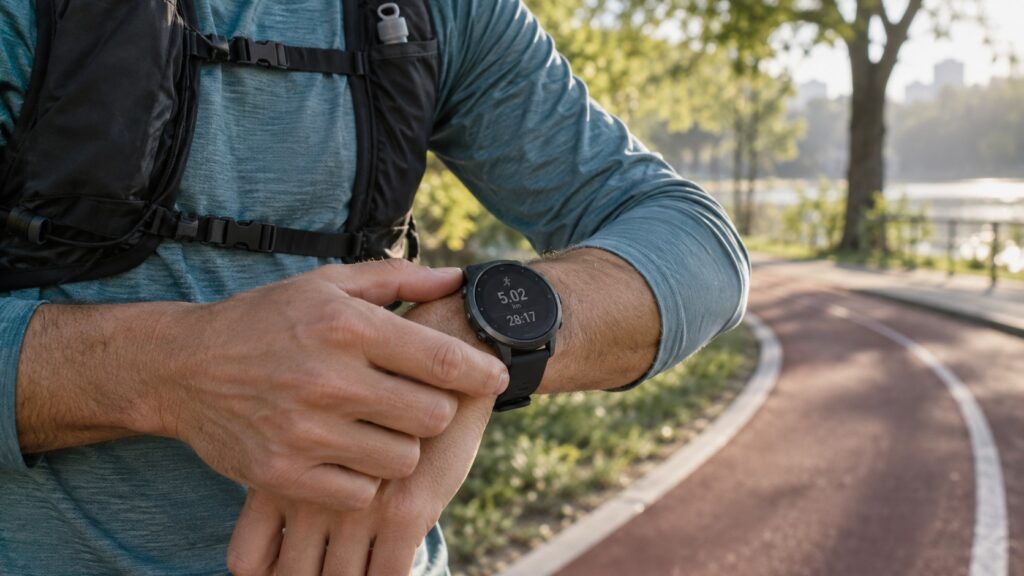
Your first running watch should make it easier to get out the door, record your run and understand your progress. You do not need to buy the most expensive model to train for a first 5K. The useful upgrade is the one that solves a problem you actually have: checking your pace without a phone, following intervals or remembering when to charge.
This guide compares six options with different strengths, then explains which features deserve your money.
Updated: 19 September 2026. This is a research-based buying guide using manufacturer specifications, not a CHOOS hands-on test. Our recommendations are editorial judgments. Battery figures are manufacturer claims in different modes, not results from a shared test. Prices and availability vary by country. The cover is an AI-generated illustration of a generic watch, not a photograph of a reviewed model.
The shortlist at a glance
| Watch | Our suggested use | Main trade-off |
|---|---|---|
| Garmin Forerunner 165 | A first training plan | Choose the Music version for stored music |
| COROS PACE 4 | Long battery life and a light watch | Check that its app and music workflow suit you |
| Apple Watch SE 3 | Running plus everyday iPhone use | Frequent charging; no Android pairing |
| Suunto Run | A lightweight watch focused on running | Compare its tools with the features you will actually use |
| Polar Pacer | A simpler display and structured training | An older design that makes most sense at a good price |
| HUAWEI WATCH GT 7 | Two sizes and long everyday battery life | Battery and weight differ by size |
1. Garmin Forerunner 165: our pick for a first training plan
The Forerunner 165 combines an AMOLED touchscreen with five physical buttons. Garmin offers Coach plans for 5K, 10K and half-marathon goals, plus daily suggested workouts. That makes it an appealing starting point if your question is what to run next.
Garmin rates battery life at up to 11 days in smartwatch mode or 19 hours in GPS mode. There is an important shopping distinction: the standard 165 and 165 Music are different versions. Stored songs and supported service playlists require the Music model; supported streaming services require a premium subscription.
Choose it if: you want guidance alongside basic pace and distance. Before buying: compare the two versions and avoid paying for music storage if you always carry your phone. Check Garmin’s features and model differences ↗
2. COROS PACE 4: our pick for charging less often
COROS lists a weight of 32g with the nylon strap and a 1.2-inch AMOLED display. Its advertised endurance reaches 19 days of daily use or 41 hours in All Systems GPS mode. Those maximum figures are a reason to shortlist it if charging is your biggest frustration; they are not a promise for every combination of settings.
The PACE 4 also offers training metrics and planning tools, leaving room to grow as running becomes a regular habit. You can start with time, distance and pace and explore the rest later.
Choose it if: low weight and battery headroom matter most. Before buying: check the current app, navigation and music features against your own routine, rather than assuming they work like another brand’s. Explore the COROS PACE 4 specifications ↗
3. Apple Watch SE 3: our pick for an iPhone user’s everyday watch
The SE 3 includes built-in GPS, custom workouts, pace alerts and heart-rate zones. It is worth considering if you want a watch for everyday use as well as running, without stepping up to Apple’s more expensive models.
The compromise is charging: Apple quotes up to 18 hours of normal use and up to seven hours of outdoor workouts. Its current compatibility page requires an iPhone 11 or later, including iPhone SE second generation or later, with iOS 27 or later. Check this before ordering, especially if your phone is older.
Choose it if: you already have a compatible iPhone and can work charging into your day. Skip it if: you use Android or want several days of use between charges. Check Apple’s SE 3 specifications and compatibility ↗
4. Suunto Run: our pick for a lightweight running-focused option
The Suunto Run weighs 36g and offers an AMOLED screen, dual-band GPS and interval-workout tools. Suunto advertises up to 12 days of daily use without training, or up to 20 hours in its best-accuracy training mode.
Those features make it a useful alternative to compare with Garmin and COROS. Its appeal is straightforward: a light watch with running tools and enough advertised training battery for ordinary beginner sessions.
Choose it if: the controls, fit and Suunto app appeal to you. Before buying: compare the exact workout and navigation tools you need; a long feature list does not tell you how comfortable the watch will feel on your wrist. Read Suunto Run’s specifications ↗
5. Polar Pacer: worth considering at the right price
The Polar Pacer uses an always-on memory-in-pixel display rather than AMOLED. Its feature set includes GPS, interval timers, manual and automatic laps, Training Load Pro and FitSpark workout suggestions. Polar Flow gives you a place to review sessions and plan ahead.
We would compare its local selling price carefully with the newer watches above. An older model can be a sensible purchase, but only if the price, warranty and features make sense together.
Choose it if: you prefer a straightforward sports-watch approach and find a competitive offer. Before buying: note that music controls operate playback on your phone; they are not a reason to assume phone-free music storage. Check Polar Pacer’s current features and price ↗
6. HUAWEI WATCH GT 7: a choice of sizes with strong battery claims
The WATCH GT 7 comes in 46mm and 41mm versions, both with AMOLED displays and dual-band GPS. Huawei lists compatibility with Android 9.0 or later and iOS 13.0 or later.
Size affects endurance: Huawei quotes up to 12 days of typical use for the 46mm model and seven days for the 41mm. With the always-on display enabled, those claims fall to seven and five days respectively. These are laboratory estimates, not our test results.
Choose it if: you want to compare a smaller everyday watch with a larger, longer-lasting version. Before buying: check your local price and Huawei Health setup, and try the fit. The 46mm watch weighs about 51.3g without its strap, so its weight is not directly comparable with figures that include a strap. Check Huawei’s GT 7 specifications and battery conditions ↗
Which features are worth paying for?
A screen and controls you can use while moving
Try reading the watch at arm’s length. Can you recognise pace and elapsed time without studying the screen? Try the start, stop and lap controls too. A watch that feels simple in a shop is a better starting point than one whose extra menus you already find confusing.
GPS that fits how you run
If you want to leave your phone behind, confirm that the watch has built-in GPS rather than relying on a connected phone. Multi-band or dual-frequency GPS is a feature to compare, but do not treat that label as a substitute for independent accuracy testing on routes similar to yours.
Simple intervals and useful guidance
For an early running routine, being able to alternate timed running and walking can be more relevant than a page of advanced performance scores. Check how easy it is to create a workout and whether the watch alerts you clearly when the next section starts.
Enough battery for your habits
Daily battery life and GPS recording time measure different things. Always-on screens, music and different location settings can change endurance. Buy enough headroom for your longest planned outing and a charging routine you can maintain, rather than chasing the largest number.
A comfortable strap and compatible phone app
Measure your wrist and check the strap range. Also check the companion app’s current phone requirements before paying. A comfortable watch that syncs with your phone is more useful than a technically impressive watch that is awkward to wear or set up.
What can you leave off the shopping list?
Start by listing what you will do in your first month. If that is three short runs on familiar roads, an expensive case material, extensive expedition features or a large library of sport profiles may add little to your experience. Leave room in the budget for the equipment you will use every time.
Be equally specific about music. Remote controls, stored audio files and offline streaming-service playlists are three different things. Check the exact model and any required subscription before buying headphones or paying for an upgrade.
Before you buy: a five-minute checklist
- Confirm your phone and operating system are supported.
- Check the exact model name, size and music version in the basket.
- Compare the delivered price, warranty and return conditions.
- Look for the charging cable and any accessories you need.
- Identify optional recurring costs, such as music, apps or cellular service.
Do beginners need a running watch?
No. If your phone already records what you need and you are happy carrying it, keep using it until you know what you want to improve. A watch becomes an easier purchase to justify when you can name the benefit: checking pace on your wrist, following an interval timer or leaving the phone at home.
Our recommendation
Start your comparison with the Forerunner 165 for guided training, the PACE 4 for battery life, or the SE 3 if an everyday iPhone companion is the priority. Add Suunto Run, Polar Pacer and HUAWEI WATCH GT 7 when their fit, controls or local price suit you better. Pick the watch whose strengths match your routine.
Building your running setup? Read our guide to the 10 best running shoes in 2026 next.
Links and editorial policy: The links in this guide go directly to manufacturers and are not affiliate tracking links. Product specifications were checked against the linked official pages. CHOOS has not independently tested these watches.